
Google Sites for Schools and Nonprofits: Add a Shop, News and Archives (No Code)
Last updated: November 2026
Quick answer
Your school or association already has Google Sites, free with Google Workspace. Swiffle Grid adds what Google Sites can’t do: news and events that update themselves, and archives of newsletters, photos and videos shown as cards, with the free plugin. With Swiffle Grid PRO, add a fundraising shop with cart and checkout. Volunteers update a spreadsheet, not code.
Google Sites is the natural choice for a school, a club or a nonprofit: free, easy, shared with the whole team. But as soon as you want to list the next events, open ten years of newsletters or sell a T-shirt, you end up with long lists of links, or with a webmaster to call for every change.
What you can add to your Google Site
News and events that update themselves
Write your news as WordPress posts, or list your events in a spreadsheet: each one becomes a card with a picture, a date and the details on the back. Add a row or publish a post, and every Google Site page showing the grid is up to date.
Archives: newsletters, photos and videos
List your PDFs, photo albums and videos in a spreadsheet (title, date, picture, link): the archive shows as cards that open the document or play the video. Your files can stay where they are. A YouTube channel can also be shown as cards straight from its feed, with each new video added automatically.
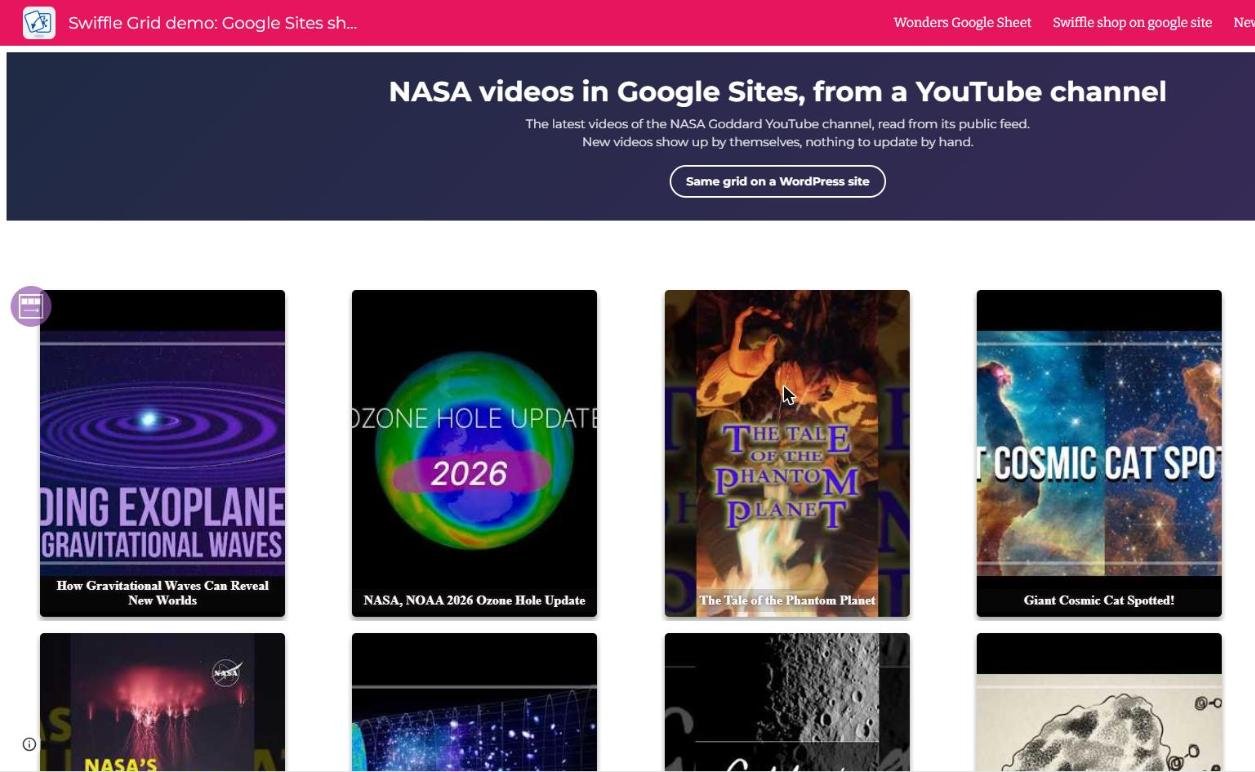
A YouTube channel shown as cards in a Google Site, with the free plugin.
A fundraising shop (PRO)
Spirit wear, uniforms, tickets, calendars, a bake sale: put the items, prices, sizes and stock in a Google Sheet, and the shop runs inside your Google Site with a real cart. Payment happens on the WooCommerce shop of your WordPress site, then families come back to your Google Site.
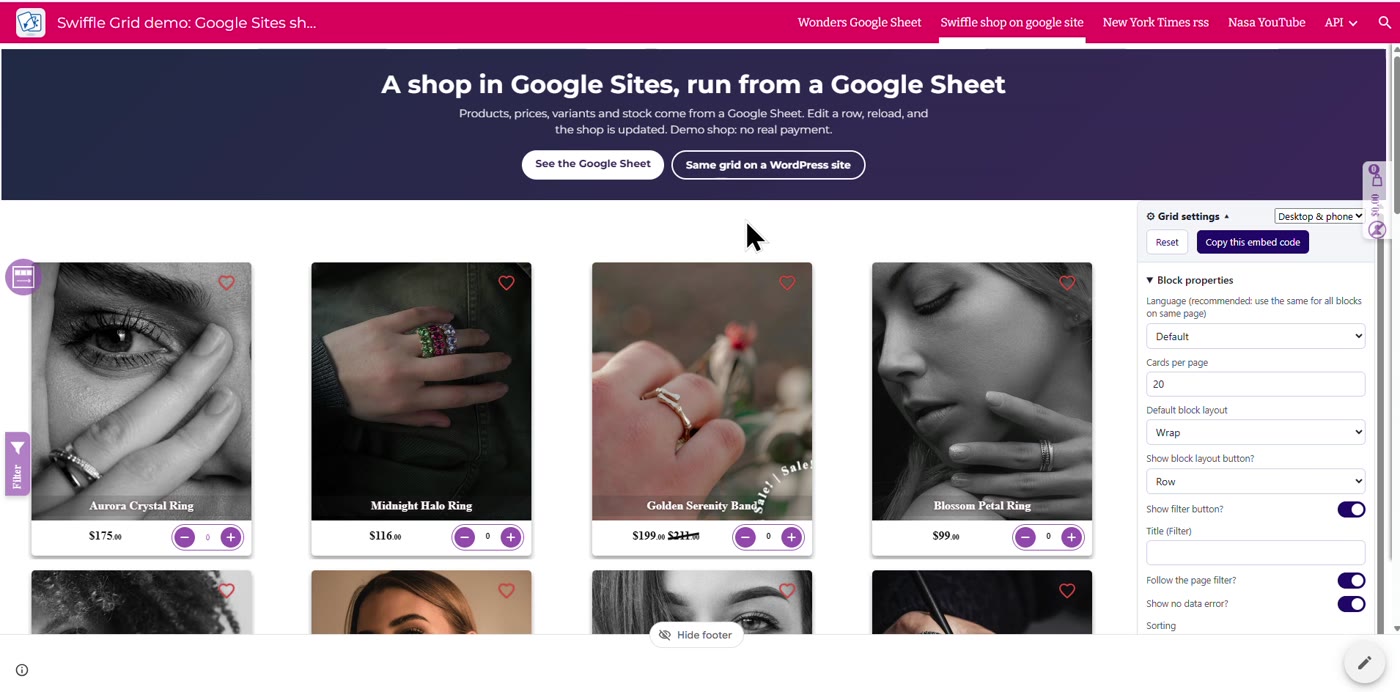
A shop inside a Google Site, run from a Google Sheet.
One WordPress site for all your Google Sites
A school, a parents‘ association or a federation often has many Google Sites: one per class, club or local group. One WordPress site can feed all of them. Each Google Site pastes its own code and shows its own selection: the events of one class, the shop of one club, the archive of one year. With Swiffle Grid PRO, Sales by site even shows which Google Site, and which page, brought each order.
Free or PRO?
| Free plugin (WordPress.org) | Swiffle Grid PRO |
|---|---|
| WordPress posts, CSV and Excel files, RSS feeds, YouTube channels, shown as cards in a Google Site | Everything in the free plugin, plus a live Google Sheet, a shop with cart and checkout, and Sales by site |
Both need a WordPress site behind them: most hosts install WordPress in one click, and one site is enough for all your Google Sites.
How to set it up
- On your WordPress site, add a Swiffle Grid block and choose the source: posts, a spreadsheet, a feed, or your shop.
- Copy its embed code.
- In Google Sites, open Pages, click +, choose New full page embed and paste the code. A full page embed fills the screen on computers and phones.
- Allow the Google Site once in the Swiffle Grid settings of your WordPress site.
Step by step, with a video: How to Add a Shop to Google Sites.
Try it
Cards from a spreadsheet in a Google Site A shop in a Google Site
All the ways to sell with Google Sites, compared: Sell Online with Google Sites, the complete guide.
Frequently asked questions
- Is it free for schools and nonprofits?
- The Swiffle Grid plugin is free on WordPress.org and already shows WordPress posts, CSV and Excel files, RSS feeds and YouTube channels as cards in a Google Site. A live Google Sheet, a shop with cart and checkout, and Sales by site come with Swiffle Grid PRO.
- Do volunteers need to write code?
- No. The code is pasted once into a full page embed of Google Sites. After that, volunteers only edit a spreadsheet or write a post, and the Google Site shows the change.
- Can several Google Sites use the same WordPress site?
- Yes. One WordPress site can feed the Google Sites of every class, club or local group: each one pastes its own code and shows its own selection.
- Where do the payments go?
- To the WooCommerce shop of your WordPress site, with the payment methods you choose. The Google Site only shows the products and the cart.
- Does Swiffle Grid collect data about our visitors?
- No. Swiffle Grid adds no analytics and no tracking. The cards show what you put in your spreadsheet or your WordPress site, nothing else.
Selling through partner organizations too? See Let Resellers Sell Your WooCommerce Products on Their Own Websites. Plans and pricing: Swiffle Grid plans.