
A Visual Product Library for Architects and Specifiers, on Every Partner Website
Last updated: November 2026
Quick answer
Swiffle Grid turns one spreadsheet into a visual product library: each product is a card with its photos, videos, zoomable details, filters and a link to its datasheet. You show it on your website, and your distributors and partners paste the same library on theirs. Update the spreadsheet, and every copy is up to date.
Architects, interior designers, engineering offices and installers need to find the right reference fast, see it properly and open its technical documents. Today they dig through PDF catalogs, product pages, photo galleries, demo videos and technical folders, often on several websites that do not show the same version.
A library built with Swiffle Grid puts all of it in one place, in a form they can browse in a minute, and on every website where they meet your products.
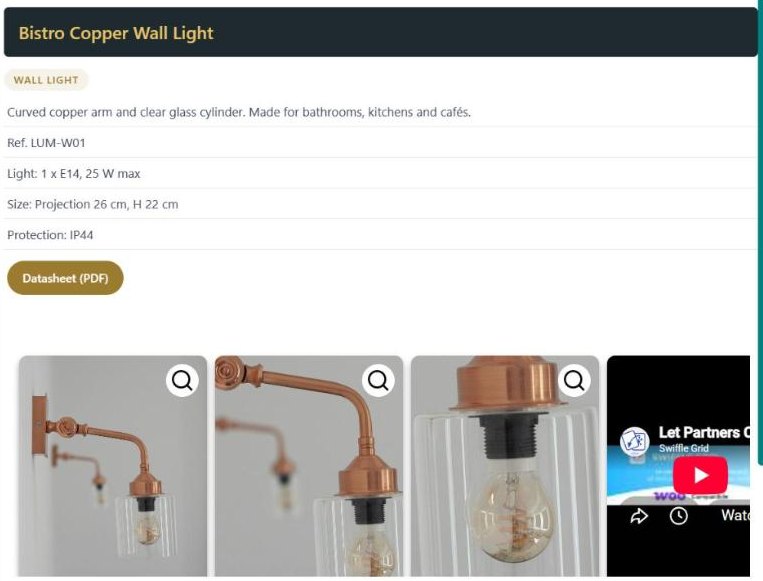
Live demo: one product of the Lumora catalog (fictional brand), with its specifications, its datasheet and a gallery of zoomable details and a video.
A card per product, not a plain product sheet
Each row of your spreadsheet becomes a card: a photo on the front, the details on the back. The column names tell Swiffle Grid what to do with each cell:
| Column | On the card |
|---|---|
TIT_ | The product name. |
IMG_ | The main photo, on the front. |
SLIDE_ | A gallery mixing photos and videos. |
SLIDEZOOM_, SLIDEFULL_ | The same gallery with zoom, or zoom and full screen, to inspect a finish or a detail. |
IMGZ_, IMGZFS_ | Zoomable pictures: a joint, a texture, a cross-section. |
MAP_ | A map, for example of a reference project or a showroom. |
NAV_ | The page opened on click: datasheet, BIM object page or product page. |
FLT_, FLTD_ | Filters: range, finish, material, fire rating, acoustic class, dimensions. |
| Other columns | The first one is the short text on the front, the others are shown on the back: dimensions, weights, performance. |
Full list: CSV, Excel and Google Sheets column reference.
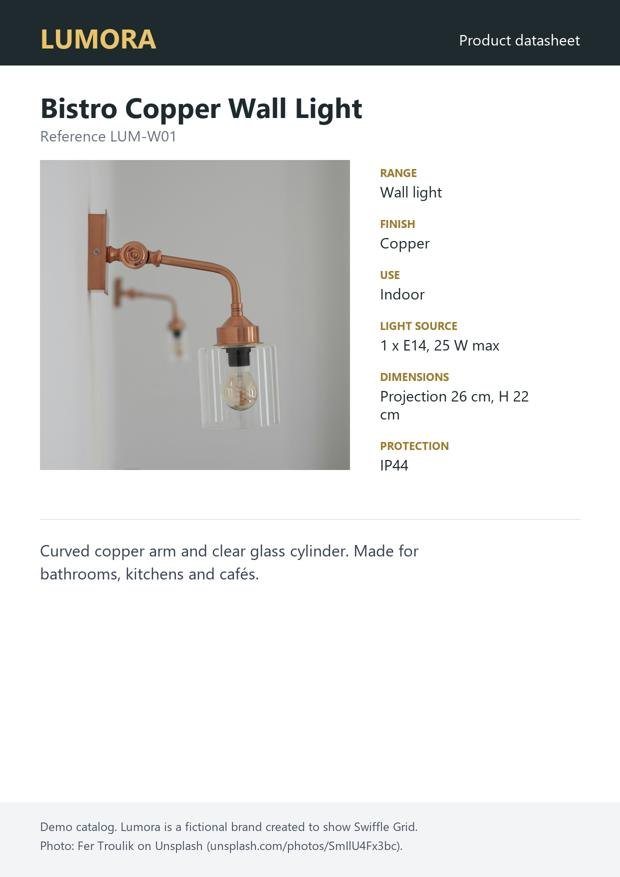
The datasheet button opens the PDF of the product, kept in your Media Library.
Find the right reference in seconds
Swiffle Grid builds the filter panel from the values of your FLT_ and FLTD_ columns. A specifier ticks „Oak“ and „Class A“, types part of a reference in the search field, and only the matching products remain, across the whole library, even with thousands of rows. The search ignores accents and capitals.
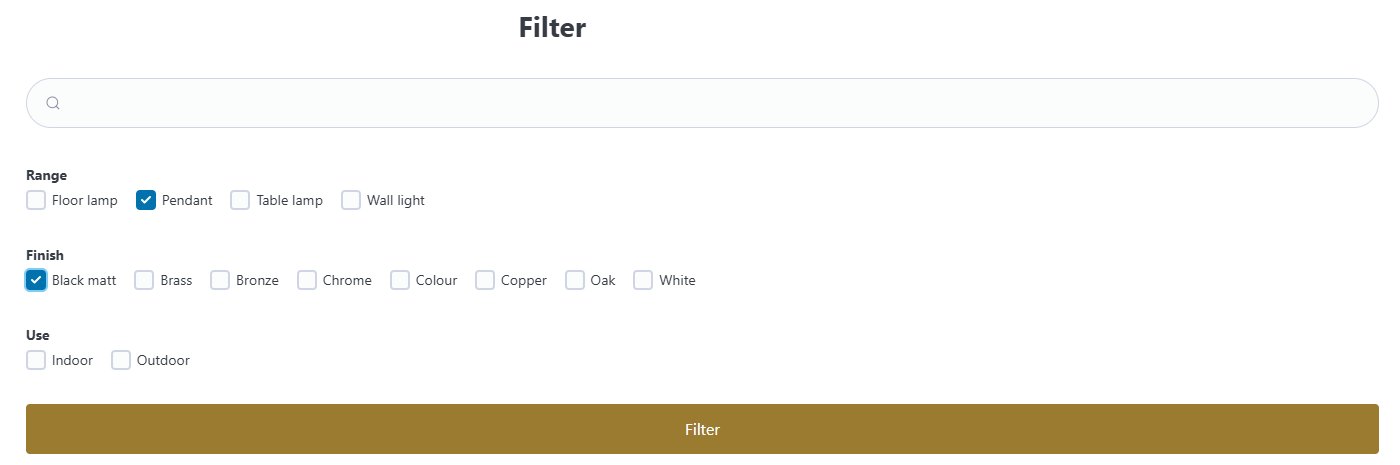
The filter panel, built from the values of the FLTD_Range, FLT_Finish and FLT_Use columns.
The same library on every website
- On your website: a Swiffle Grid block reads the spreadsheet.
- On your distributors‘ and partners‘ websites: they paste the embed code, on WordPress, Wix, Webflow, Squarespace, Google Sites or plain HTML, and adjust the look to their site with the setup bar.
- Always the same version: replace the Excel file under the same name, or edit the Google Sheet (PRO), and every copy shows the change.
You decide which websites may show the library: each one is allowed once in your Swiffle Grid settings. More about this: Share Your Product Catalog on Your Distributors‘ Websites.
What it is not. Swiffle Grid is not a DAM or a PIM. Your files and data stay where they are. It shows what your teams already prepared, as a visual library that can be placed on any website.
Looking for a lightweight PIM alternative? See how one sheet can feed every distributor website.
Who uses it
- Building materials and joinery: windows, doors, flooring, cladding, insulation.
- Bathroom and kitchen equipment: ranges with many finishes and sizes.
- Lighting and furniture for contract and hospitality projects.
- Technical equipment: heating, ventilation, acoustic panels.
Try it
See the live demo Download Swiffle Grid free All live demos Plans
Frequently asked questions
- Where does the library data come from?
- From one spreadsheet you keep: an Excel or CSV file in your WordPress Media Library, or a Google Sheet (PRO). One row per product, with columns for photos, videos, filters and links.
- Can the library show videos?
- Yes. A
SLIDE_column can hold a video embed as well as a photo, so a card can show a gallery mixing pictures and videos. - How do architects open the datasheet or the BIM files?
- Put the address of the datasheet, the BIM object page or the product page in a
NAV_column: it opens when the card is clicked. - Can my distributors and partners show the same library?
- Yes. They paste the embed code on their own website, on any platform, and adjust its look with the setup bar. Their site must be allowed once in your Swiffle Grid settings.
- Does it replace a DAM or a PIM?
- No. It shows what your teams already prepared, in a visual library that can be placed on any website. Files and data stay where they are.
Thanks for reading. Questions about your own library? Write to us from the contact page.