
Share Your B2B Product Catalog on Your Distributors‘ Websites, Always Up to Date
Last updated: November 2026
Quick answer
Keep your catalog in one Excel file or Google Sheet. With Swiffle Grid, each distributor pastes one code on their own website and shows your products as interactive cards, with filters and search, in their own colors. When you change the file, every distributor’s site is up to date. The Excel and CSV version is free.
You make furniture, lighting, building materials, professional equipment or spare parts, and you sell through independent distributors. Each of them has a website. Today you send them photos, descriptions, new references and corrections, and they copy them onto their site when they find the time. A few months later, half of the catalogs online are out of date.
Swiffle Grid turns this around: the catalog stays with you, and the distributors show it on their own pages.
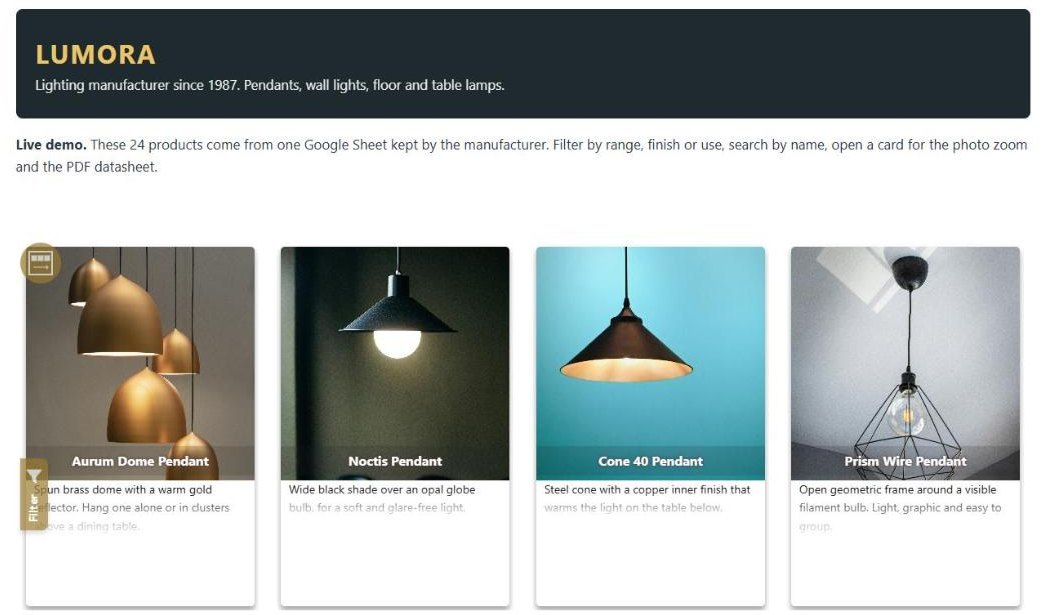
Live demo: Lumora, a lighting manufacturer (fictional brand), 24 products from one Google Sheet.
How it works
- Keep your catalog in a spreadsheet, one row per product. Name the columns with simple prefixes:
TIT_for the product name,IMG_for the main photo,SLIDE_for more photos or a video,FLT_for the filters. See the column reference. - Upload it to your WordPress site (or connect your Google Sheet) and add a Swiffle Grid block that reads it.
- Copy the embed code of the block and send it to your distributors.
- Each distributor pastes it on their own page: WordPress, Wix, Webflow, Squarespace, Google Sites or plain HTML. Nothing to install on their side.
- Allow each distributor’s page once, in your Swiffle Grid settings, with the type of source it may read.
One change, every website
| Your catalog is in | To update every distributor | Plan |
|---|---|---|
| An Excel or CSV file | Upload the new version to your Media Library under the same file name. The newest version is used everywhere right away. Photos are replaced the same way. | Free |
| A Google Sheet | Edit the sheet. Every site shows the change within a few minutes (Google refreshes published sheets about every 5 minutes). | PRO |
New products, discontinued references, corrected dimensions: you change them once, and nobody has to copy anything. Step by step: from a single Excel file or from a single Google Sheet.
Their website, their style
Send the code with its setup bar: the distributor adjusts the layout, card shape and colors to match their site, sees every change live, then copies their final code. They decide the look, you keep control of the products and their data. They write their own introduction, contact details and offers around the grid, on their own page.
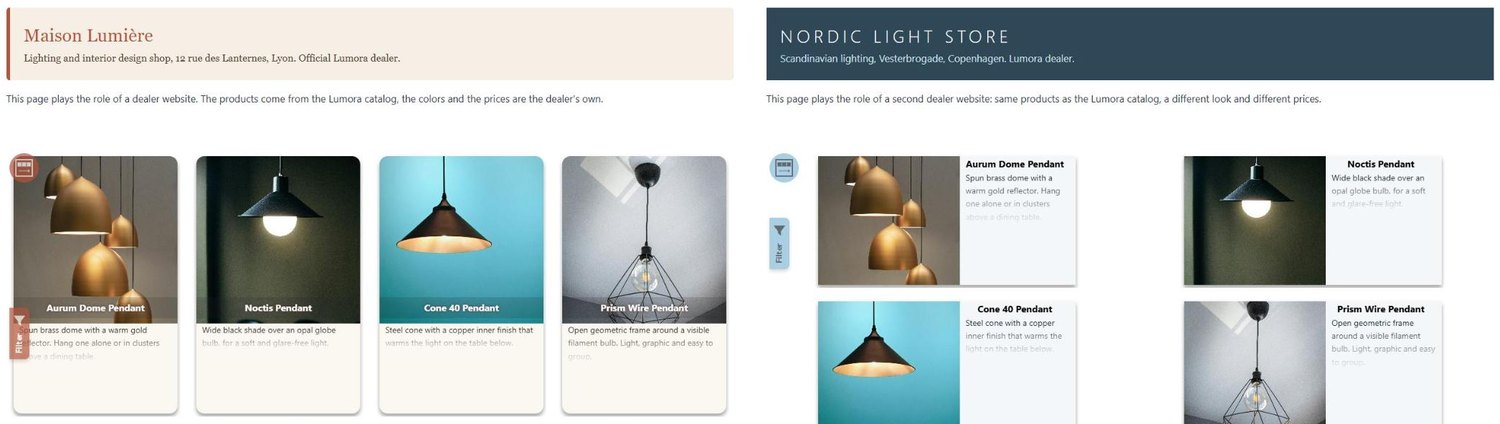
Two dealer websites showing the same Lumora catalog, each with its own layout and colors.
Each distributor, their own prices
Your catalog is shared, but prices are not. With Google Sheets (PRO), each distributor gets their own sheet:
- Your catalog sheet holds the product data: ID, name, photos, descriptions, filters. Only your team can edit it.
- Each distributor’s sheet pulls your catalog with
IMPORTRANGE, and adds a price column that looks up each product by its ID, for example withVLOOKUPin a small tab of ID and price. Only the distributor edits their prices. - Each distributor’s grid reads their own published sheet. Your product changes reach their sheet automatically, their prices stay theirs.
- Tip: give the price column of the distributor’s sheet a currency format. The published sheet shows values as they are displayed, so the grid shows „990 €“ and not „990“.
The same method works for anything that differs between distributors: a local reference, availability, delivery time or a „contact your dealer“ link.
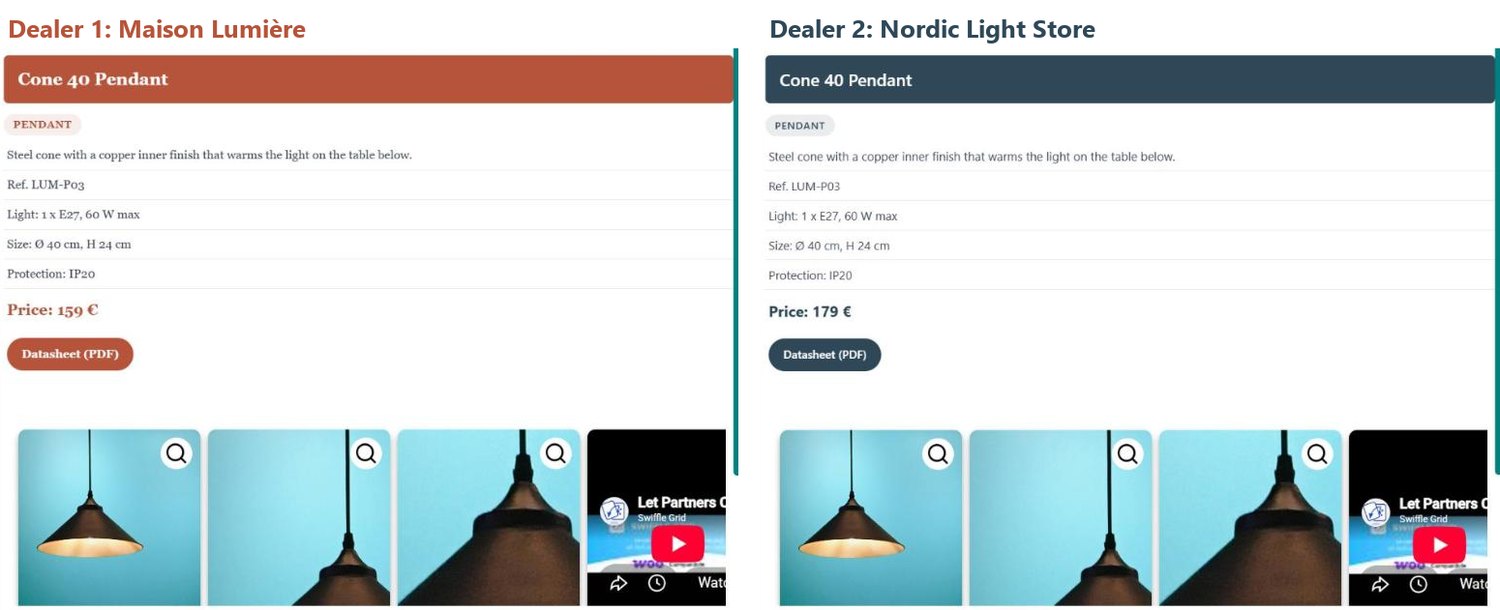
The same product on two dealer websites: Maison Lumière and Nordic Light Store, each with its own look and its own price.
Large catalogs: filters and search
Add a FLT_ column (filter only) or a FLTD_ column (filter and shown on the card) for each criterion: range, finish, material, power, size class. Swiffle Grid builds the filter panel from your values, and visitors combine filters with a text search on the whole catalog. A cell can hold several values separated by commas, and the search ignores accents and capitals.
We test it with a 10,000-row catalog: cards load page by page, and filters and search always apply to the whole catalog.
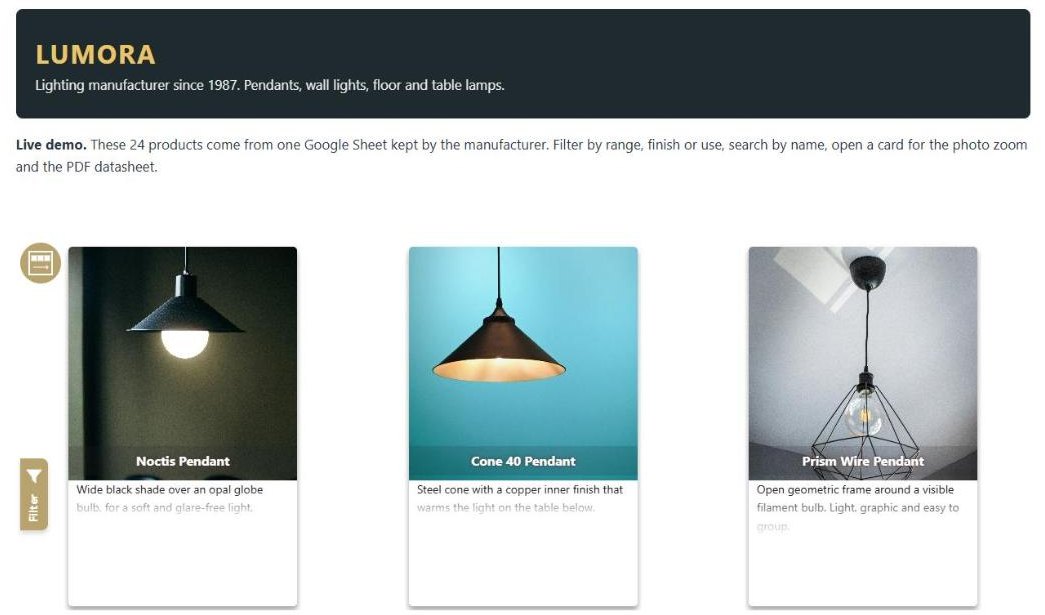
Range „Pendant“ and finish „Black matt“: 3 products left out of 24.
A card that shows the product
Each product is a card with a photo on the front and the details on the back. You can add:
- a gallery of photos and videos (
SLIDE_), with zoom and full screen (SLIDEZOOM_,SLIDEFULL_); - zoomable detail pictures (
IMGZ_,IMGZFS_); - a map, for example of a showroom or a reference project (
MAP_); - a link opened when the card is clicked: the product page or its datasheet (
NAV_); - internal columns that are never shown (
HIDDEN_).
Several countries, several languages
The buttons and the filter panel of the grid are available in 14 languages. For your product texts, keep one spreadsheet per language, and give each distributor the code of the grid in their language.
What it is not. Swiffle Grid is not a PIM: it does not manage data workflows, approvals or feeds to marketplaces. It does one thing: show one catalog, kept in a spreadsheet your team already knows, on as many websites as you want, always up to date. If you sell online with WooCommerce, see also Let Resellers Sell Your WooCommerce Products on Their Own Websites.
Who uses it
- Furniture and lighting manufacturers with a network of retailers and showrooms.
- Building material and joinery brands sold through merchants and installers.
- Professional equipment makers with regional dealers.
- Spare parts suppliers whose catalog changes every month.
A lightweight PIM alternative for small manufacturers
PIM systems are built for large catalogs and large teams. If you are a small manufacturer and mainly need every dealer to show the same, current product data, one shared spreadsheet is often enough. Swiffle Grid is not a full PIM: there is no approval workflow and no export to marketplaces. It does one thing well: your catalog, live on every partner website, each with its own prices.
Try it
See the live demo Download Swiffle Grid free All live demos Plans
Frequently asked questions
- Do my distributors need WordPress?
- No. They paste one embed code on their own page: WordPress, Wix, Webflow, Squarespace, Google Sites or plain HTML. Only you need WordPress, to host the catalog file and the Swiffle Grid plugin.
- How does a change reach every distributor?
- With an Excel or CSV file, upload the new version to your Media Library under the same file name: every site showing the catalog uses it right away. With a Google Sheet, edit the sheet: every site shows the change within a few minutes.
- Can a distributor change which products are shown?
- No. The distributor can change the look (layout, card shape, colors) with the setup bar, but the products and their data come from your file. Each distributor’s website must also be allowed once in your Swiffle Grid settings.
- Can each distributor show its own prices?
- Yes, with Google Sheets (PRO). Each distributor keeps their own Google Sheet: it pulls your catalog with the
IMPORTRANGEfunction and adds their own price column, matched by product ID. You stay the only one who edits the catalog, each distributor edits only their prices, and their grid reads their sheet. See Each distributor, their own prices. - How many products can the catalog hold?
- We test it with 10,000 rows. Cards load page by page, and the filter panel and the search work across the whole catalog, not only the page on screen.
- Is it a PIM?
- No. Swiffle Grid does not manage product data workflows or feed marketplaces. It shows one catalog, kept in a spreadsheet you already know, on as many websites as you want.
Thanks for reading. Questions about your own catalog? Write to us from the contact page.