
Let Resellers Sell Your WooCommerce Products on Their Own Websites (Google Sites Included)
Last updated: November 2026
Quick answer
With Swiffle Grid PRO, each reseller pastes one code on their own website, even a free Google Site, and your WooCommerce products appear there with live prices, stock and a cart. Buyers check out in your shop, and Sales by site shows you which reseller sold what.
You sell through resellers, ambassadors, partner shops or member producers. Each of them has a website and an audience, but sending people to your shop loses their branding, and copying your catalog onto their site means wrong prices and sold-out products within a week. Swiffle Grid puts your live shop on their page instead.
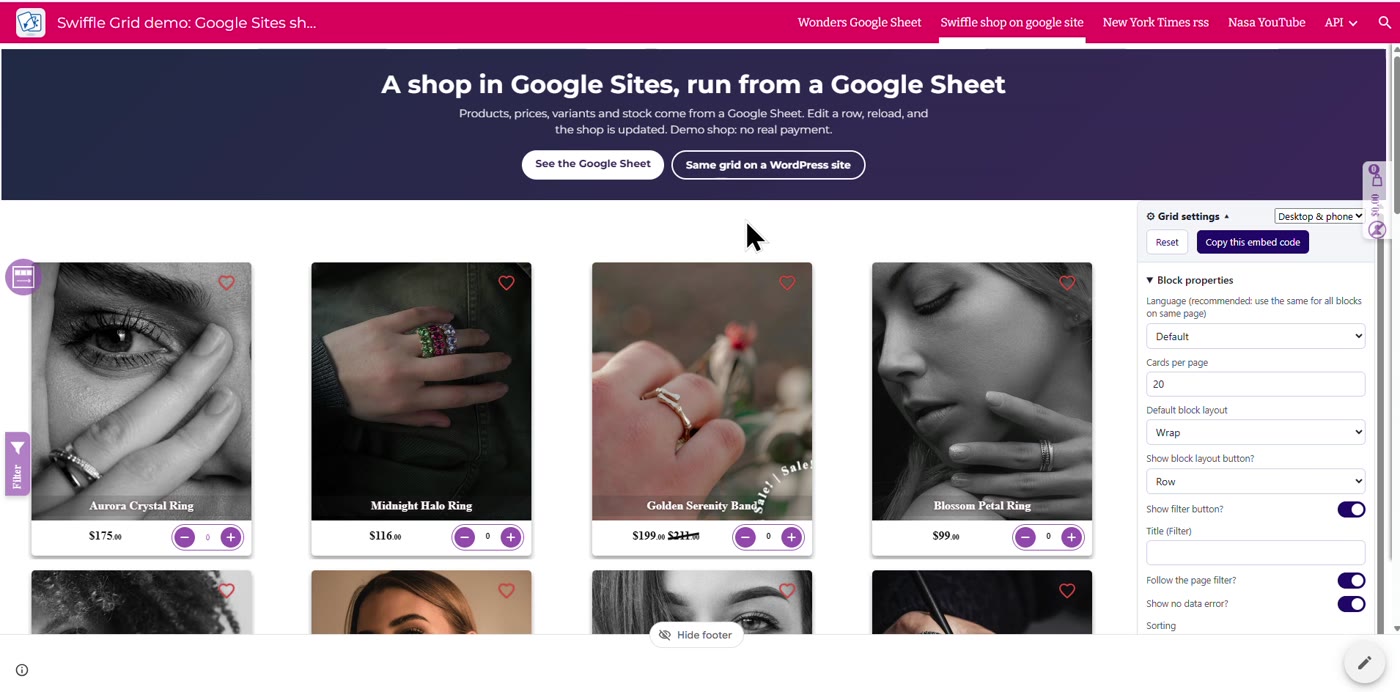
Your products, live on a reseller’s Google Site.
How it works
- Build the grid once in your WooCommerce shop: a Swiffle Grid block with your products, a category or a selection.
- Send each reseller the embed code. It works on any website: WordPress, Google Sites, Webflow, Wix, Squarespace or plain HTML. Nothing to install on their side.
- Allow the reseller’s page once, in the Swiffle Grid settings of your shop.
- Buyers shop on the reseller’s page: prices, variants, stock and cart come live from your shop. They check out in your shop, then come back to the reseller’s page.
- See who sold what in WooCommerce > Sales by site.
Their website, their style
Send the code with its setup bar: the reseller adjusts the layout, card shape and colors to match their site, sees every change live, then copies their final code. They decide the look, you keep control of the products, prices and stock.
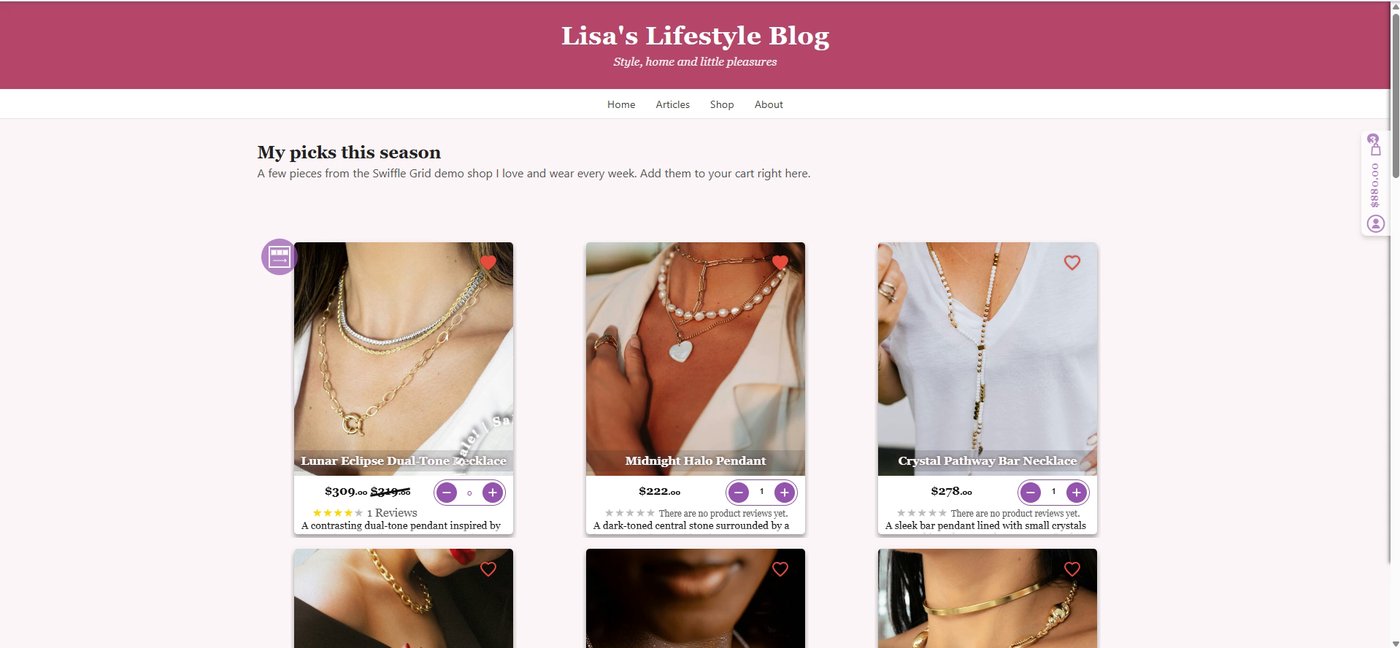
A reseller’s page, in the reseller’s colors.
Step by step: Let Partners Customize Your WooCommerce Shop on Any Website.
Resellers on Google Sites
Many small resellers, associations and schools already have a free Google Site. Google Sites cannot sell anything on its own: with a full page embed, your shop runs inside their Google Site, on computers and phones, with the cart kept from page to page. Step by step: How to Add a Shop to Google Sites.
Know which reseller sold what
Every order keeps the reseller site and the page it came from. In WooCommerce > Sales by site you see, for the period you choose:
- the number of orders and the revenue of each reseller site, compared with your own shop;
- the detail of each order: date, order number, invoice number, status, page, total and refunds;
- a CSV export, one line per order, ready for your accounting or your reseller statements.
A sale is credited to the site the buyer came from up to 30 days after the visit, even if the buyer closes the tab and comes back later.
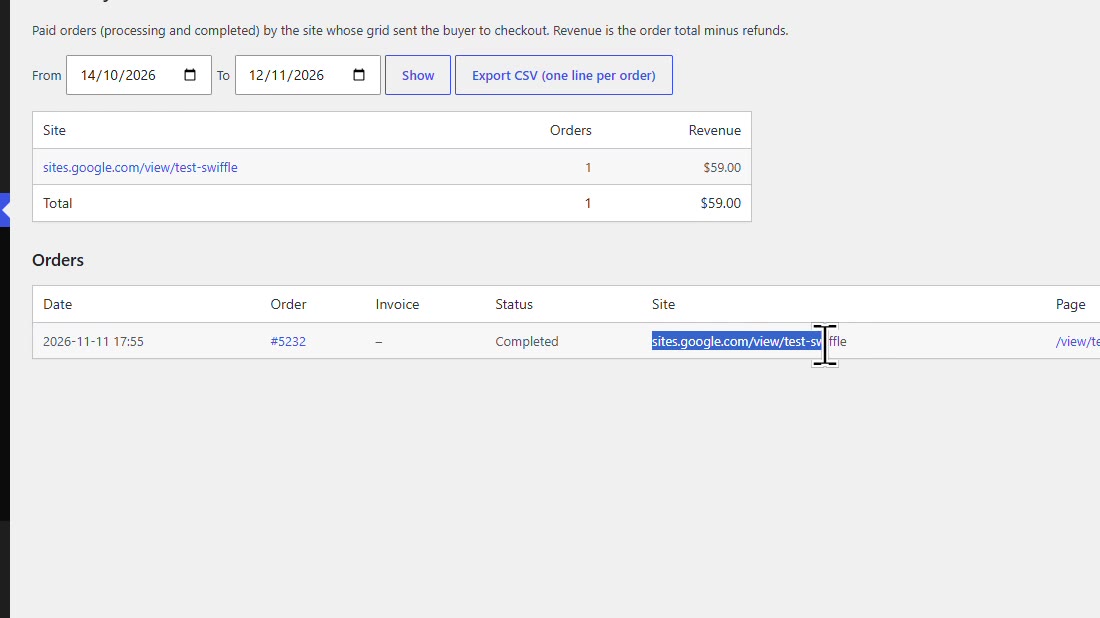
Sales by site: orders and revenue per reseller site.
Step by step: Sell WooCommerce Products on Partner Websites and See Which Site Sold What.
What it is not. Swiffle Grid is not an affiliate program: it does not compute or pay commissions, and it tracks sales per website, not per person. It tells you exactly which site brought each order, so you can pay your resellers your own way.
Who uses it
- Brands with ambassadors: each ambassador shows the collection on their own site or blog.
- Wholesalers and their resellers: one catalog, always up to date, on every reseller’s website.
- Cooperatives and producer groups: each member shows the shared shop on their own page.
- Associations and schools: sell merchandise or tickets through member and partner Google Sites.
Try it
See a shop inside a Google Site Swiffle Grid plans
Frequently asked questions
- Do my resellers need WordPress or WooCommerce?
- No. They paste one embed code on their own page: WordPress, Google Sites, Webflow, Wix, Squarespace or plain HTML. Your products, prices and stock come live from your WooCommerce shop.
- Where are the orders and payments?
- In your own WooCommerce shop, with your payment methods, shipping and emails. The reseller never handles payments or stock.
- How do I know which reseller sold what?
- WooCommerce > Sales by site lists orders and revenue per reseller site for the period you choose, with the page each order came from, and exports them as CSV. A sale is credited to the site the buyer came from up to 30 days after the visit.
- Does it pay commissions to resellers?
- No. Swiffle Grid is not an affiliate program: it does not compute or pay commissions. It tells you exactly which site brought each order, so you can pay your resellers your own way.
- Can resellers change the look of the products on their site?
- Yes. Send them the code with its setup bar: they adjust the layout, card shape and colors on their own page, see every change live, then copy their final code. They cannot change which products are shown.
Thanks for reading. Check out our video tutorials for more ways to sell beyond your own website.